seawall

seawall is a command-line tool and terminal dashboard for a Docker home server. It deploys and updates your Portainer stacks. It also runs the monitoring and security around them.

Written in Rust. It's in daily use on one server and hasn't been released yet.

$ curl -fsSL seawall.sh | sh not yet
~ seawall
~ $ seawall status
● Alerts       ✓ nothing firing
● Stacks       ✓ 9 running, 4 stopped, none drifted
● Exposure     ✓ published ports match the allowlist
● Updates      ! web: app 6.65.0 -> 6.67.0 (minor)
● Backups      ✓ 2 databases, restore-tested 8h ago
● Config repo  ✓ captured 05:00, pushed

~ $ seawall stack update web
web        app:6.65.0 -> app:6.67.0 (minor)
-    image: app:6.65.0
+    image: app:6.67.0
  lint: no new errors
dry run: add --yes to do it

Hey. I'm Ollie.

seawall is a personal project of mine where I asked a simple question. Do homelabs really need to be that hard? What about security? What about monitoring and alerting? What about easily managing stacks with Portainer (or in the future, directly through Docker...)?

seawall is in progress and will be public soon. If you've ever asked the question about whether it's worth setting up a homelab, seawall is here to help you on that journey.

Monitoring and security

seawall runs both on my server today. seawall init will install the same setup on yours.

Monitoring

Prometheus scrapes the host and every container. Loki keeps 30 days of logs. Grafana runs the alert rules. Each alert's severity decides how it reaches you.

sev0sev1Discord and a push to your phone, straight away
sev2sev3One summary at 09:00
  • Every alert includes the first command to run and a link to its logs.
  • Containers that stop, restart in a loop or turn unhealthy raise an alert.
  • A daily check finds image updates and the CVEs they fix.
  • A heartbeat alert arrives every morning. If it stops, alerting is broken.
PrometheusGrafanaLokiAlloycAdvisornode-exporterUptime Kumantfy

Security

Containers run as non-root users with their capabilities dropped. CrowdSec and auditd watch the host.

  • A container that publishes a port missing from the allowlist pages you. This was the alert seawall started with.
  • CrowdSec reads the SSH and reverse proxy logs and bans attackers in nftables.
  • auditd watches SSH keys, cron, systemd units and sudoers. Any change to them pages you.
  • Deploys that weaken a container's hardening are refused.
  • No app gets the raw Docker socket.
  • Config and secrets go to a private Git repo every night, encrypted with age.
  • Every change seawall makes goes into the audit trail with where it came from.
CrowdSecnftablesauditdTrivySOPSagedocker-socket-proxy

Features

status

Shows firing alerts, stacks whose compose file differs from the deployed one, published ports, pending image updates, the age of the last backup and whether the config repo is up to date. A one-line summary appears when you log in over SSH.

stack update

Bumps the image tag and redeploys the stack through Portainer with its existing environment variables. It backs up the deployed compose file first and waits for the containers to report healthy. If they don't, it prints the rollback command.

lint and harden

Checks each compose file for a non-root user, dropped capabilities, no-new-privileges, and memory and PID limits. A deploy that would add lint errors is refused. harden suggests the missing settings and sizes memory limits from 14 days of Prometheus data.

db backup

Dumps each MySQL and MariaDB database from inside its own container and keeps the last 14. Each dump is restored into a throwaway container with no network to make sure it loads. A systemd timer runs it every night. A failed run raises an alert.

alerts and silence

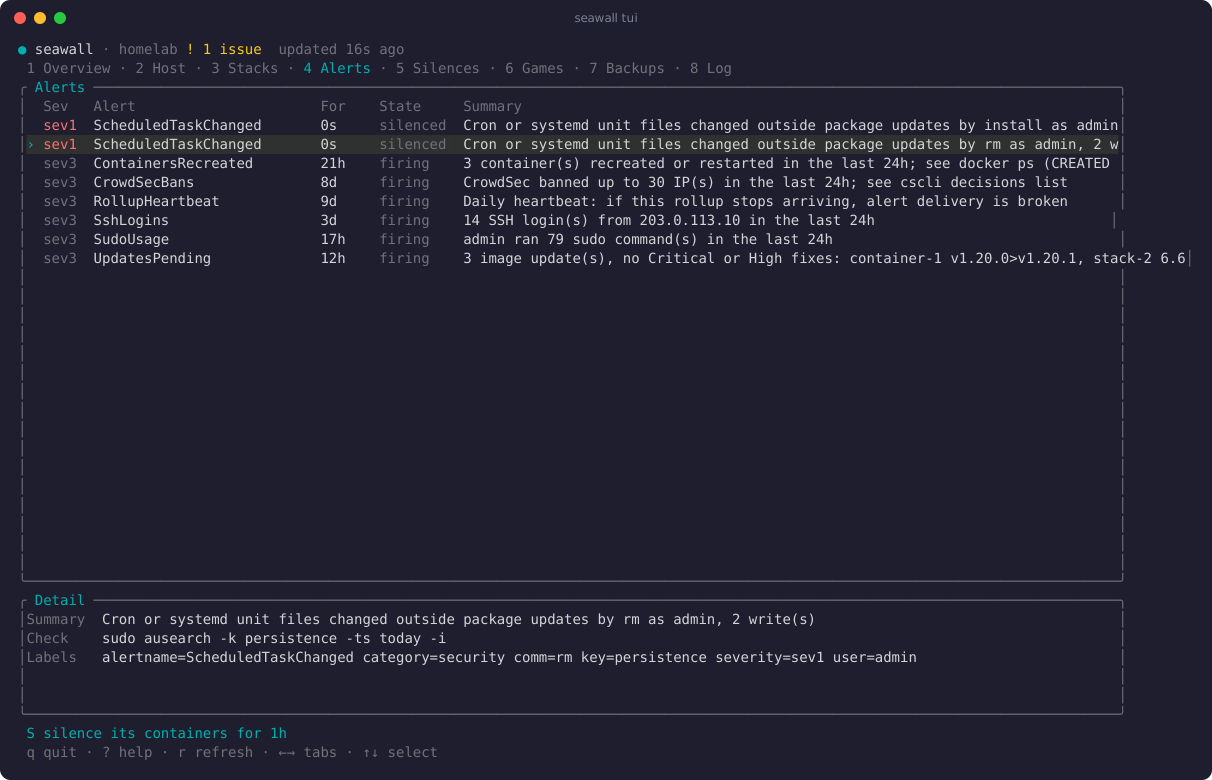
Lists firing Grafana alerts with the command to run first and a link to the logs. silence adds a Grafana silence for planned work. It won't silence a sev0.

host

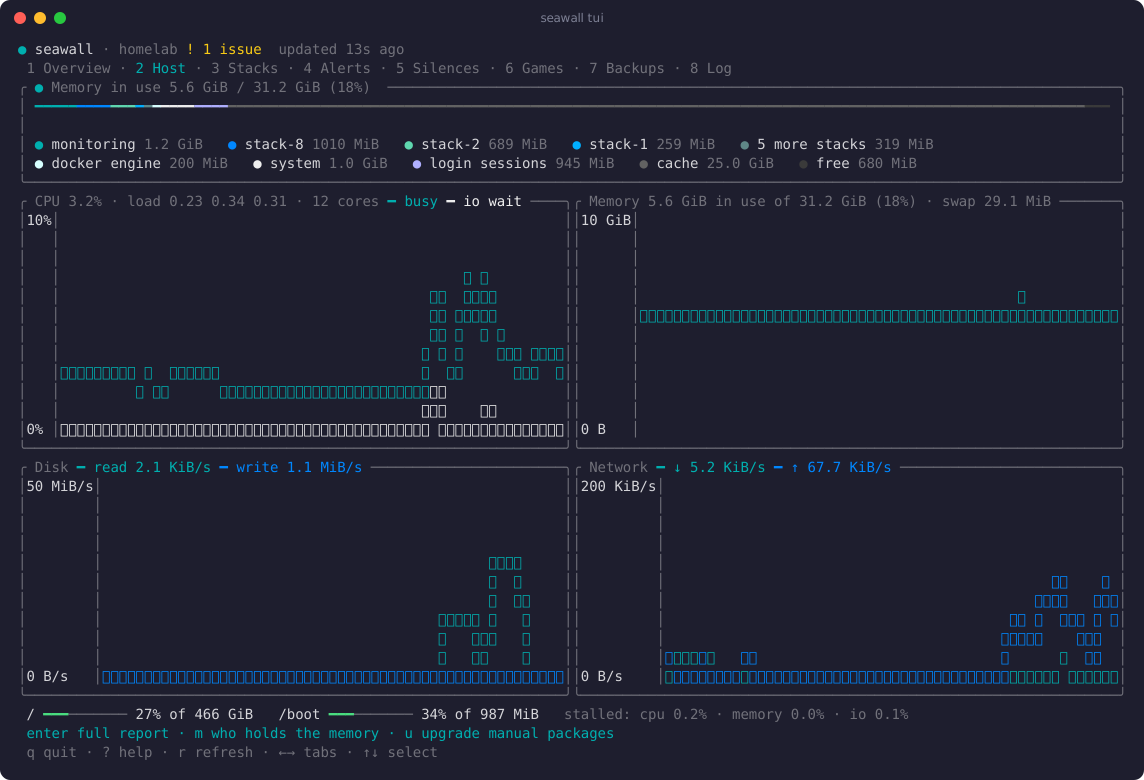
Graphs the last hour of CPU, memory, disk and network from Prometheus. Memory is also split by stack, system service and login session.

new

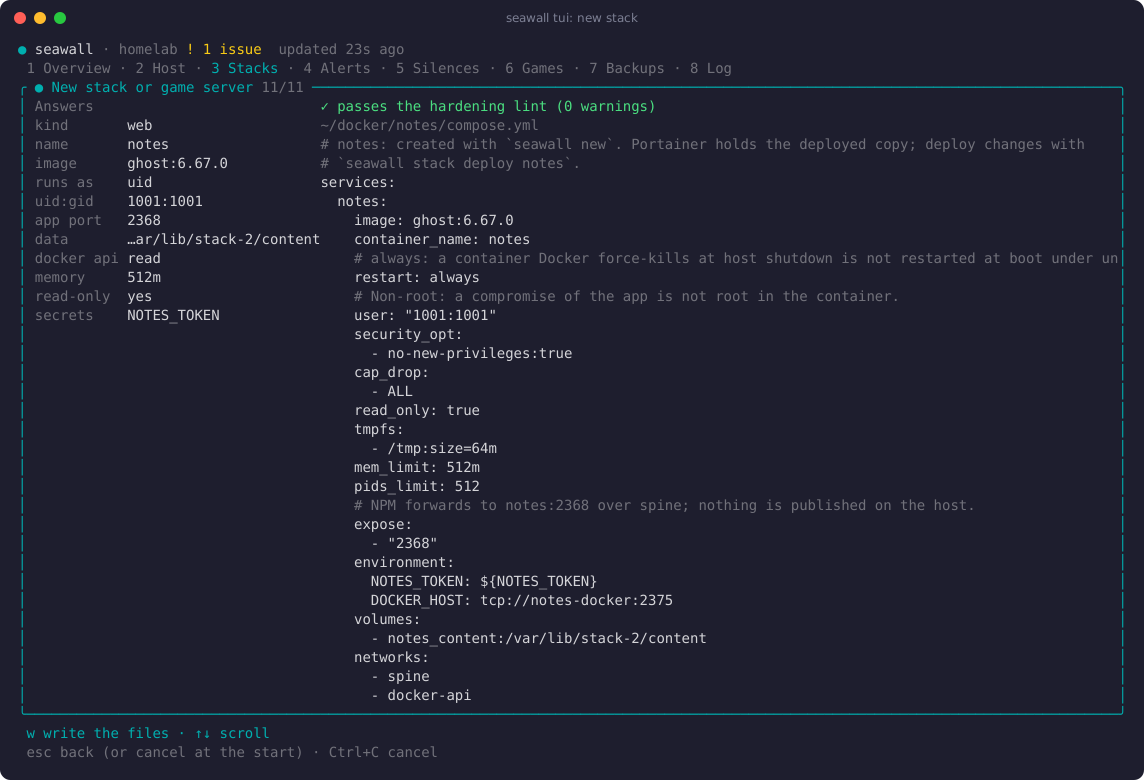
Reads an image's user, ports and volumes from its registry. Then it asks a few questions and writes a compose file that passes the lint.

game up

Starts and stops game server stacks and adds or removes their ports from the allowlist. Windrose and Dragonwilds both default to port 7777. It won't start one while the other is running.

Screenshots

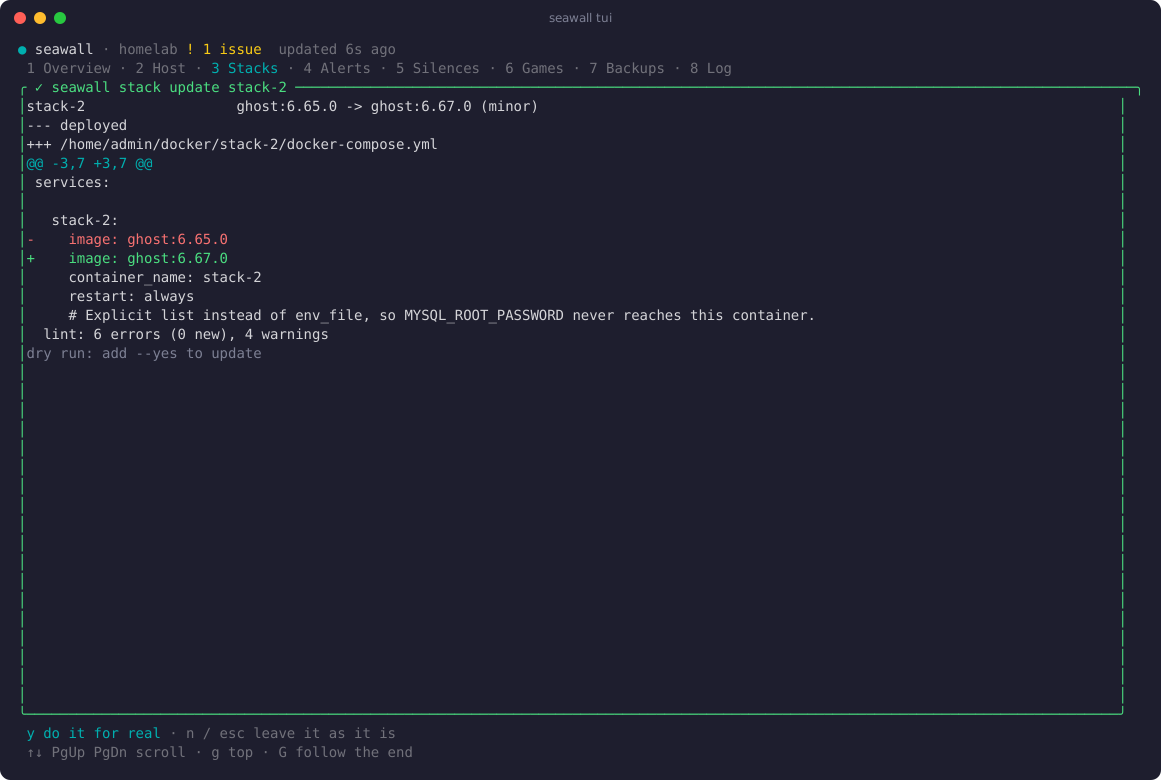
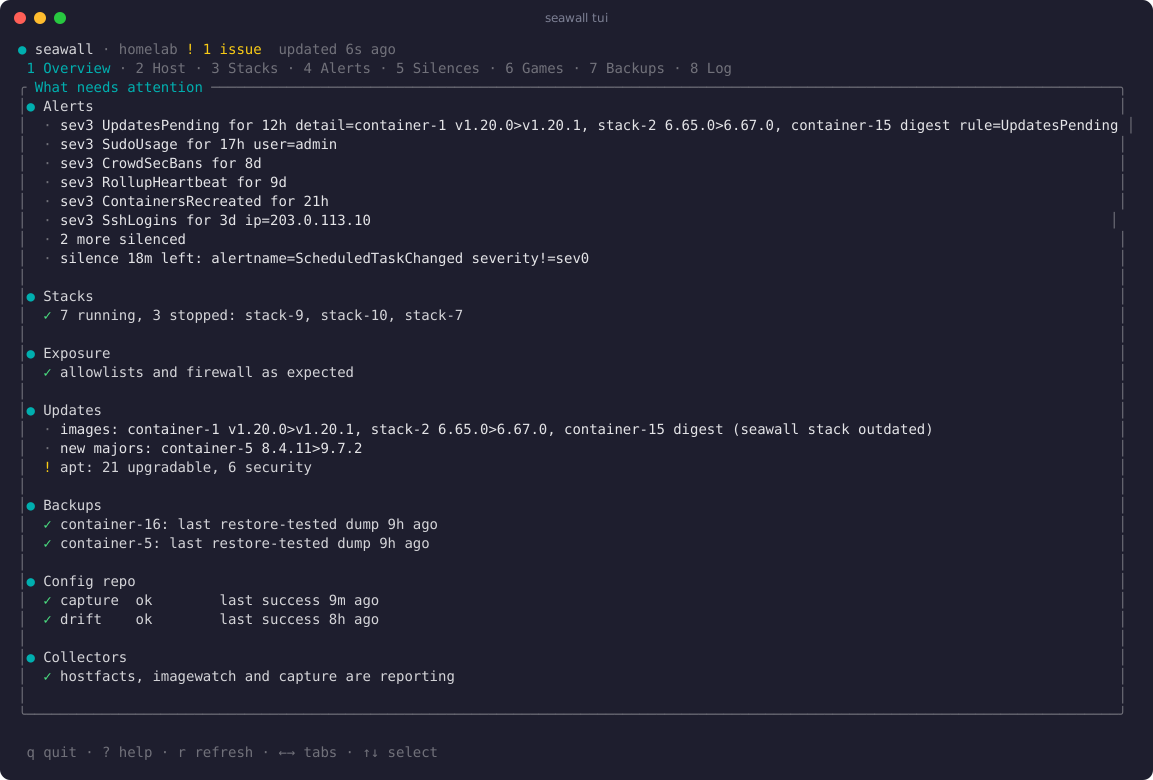
seawall tui shows the same information in tabs and refreshes every 30 seconds. Actions open a pane that runs the matching CLI command as a dry run. Pressing y runs it again with --yes.

The overview tab
The overview tab.
The host tab, with a memory bar above four graphs
The host tab, with memory by owner above an hour of CPU, memory, disk and network.
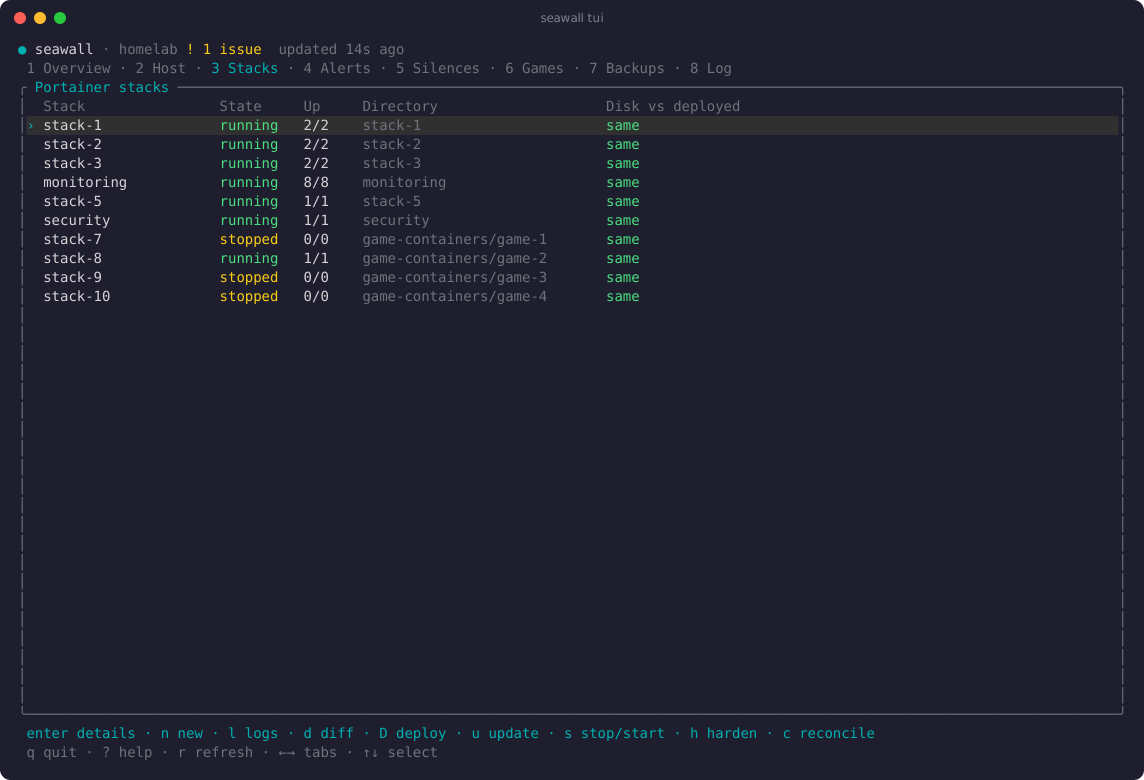
The stacks tab
The stacks tab. The last column shows whether each compose file on disk matches the deployed one.
The alerts tab
The alerts tab. S silences the selected alert for an hour.
The new-stack wizard and the compose file it generated
The new-stack wizard, with the compose file it generated.
A stack update shown as a dry run
A stack update as a dry run, waiting for y.

Memory

Per-stack figures come from the kernel's cgroup accounting. Together they add up to the whole machine. Stacks are drawn in blue and teal, the system in white and page cache in grey. Cache gets its own segment because the kernel reclaims it as soon as a process needs the memory.

in use5.6 GiB / 31.2 GiB (18%)

    Example figures from a 32 GB server.

    Safety

    • A command that changes something prints its plan and stops unless you add --yes. The plan shows the diff, the lint result, any ports it would open and any silences it would add.
    • Every change is logged to the systemd journal along with where it came from (an SSH session, a systemd timer or an agent). A change from anywhere else sets off an alert.
    • It's written in Rust with unsafe code forbidden. Subprocesses never go through a shell. Files are written atomically. Secrets are never printed.
    seawall stack update
    $ seawall stack update web
    web        app:6.65.0 -> app:6.67.0 (minor)
    -    image: app:6.65.0
    +    image: app:6.67.0
      lint: no new errors
    dry run: add --yes to do it
    
    $ seawall stack update web --yes
    ● backed up the deployed compose
    ● pulled app:6.67.0
    ● deployed, waiting for healthy containers
    ✓ web is running app:6.67.0

    Roadmap

    seawall still assumes the layout of the server it was written on (its paths, network names and monitoring setup). Most of the remaining work is removing those assumptions.

    1. You are here

      Running one server every day.

    2. Later

      seawall init

      Turns a fresh Ubuntu install into a monitored, hardened Docker host. Each step is a dry run first.

    3. Later

      Restore

      Rebuild a whole host from its encrypted config repo.

    4. Later

      Public release

      Packages and a one-line installer (curl -fsSL seawall.sh | sh).

    Journey

    How seawall was built.

    1. The allowlist alert

      A new game server published two ports missing from the hostfacts allowlist. seawall started as a tool to edit that root-owned file safely.

    2. Portainer and Grafana

      Deploys go through Portainer's API and keep each stack's environment. Silences and alerts go through Grafana's Alertmanager API.

    3. Image updates

      An update backs up the deployed compose file, pulls the image and waits for healthy containers. Major versions need a flag.

    4. The hardening lint

      Compose files are checked against a hardening baseline. Deploys that add errors are refused.

    5. Verified backups

      Every night each database is dumped in its own container and restored into a throwaway copy.

    6. The command centre

      A ratatui dashboard. Every action runs the CLI as a dry run first.

    7. Port clashes

      Deploys check for port clashes first. Stopped stacks can be updated without starting them.

    8. Monitoring

      Container metrics come from cAdvisor. Host memory is split by owner from cgroup v2.

    9. The stack wizard

      Reads an image's user, ports and volumes from its registry. New stacks run non-root by default.

    10. The rename

      bosun was already taken. It became seawall.

    11. Now

      Removing the assumptions about one server. Then Portainer or Compose, standard monitoring and seawall init.